How Do You Choose the Right Privacy Screen Filter?
If you are choosing a privacy screen computer display, the main trade-off is simple: better side privacy usually means a dimmer, less shareable screen. Start by checking your screen size and mounting style, then decide whether brightness, glare control, or quick removal matters most for the way you actually use the computer.
How Do Privacy Screens Affect the Display?
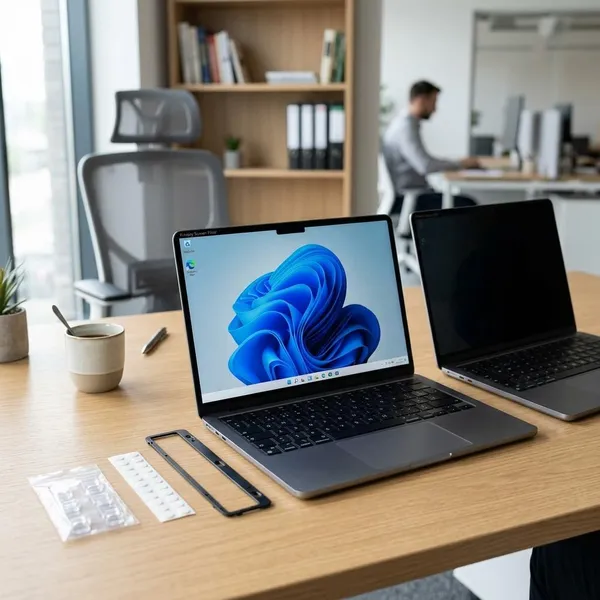
Privacy screens work by limiting what can be seen from the sides, so they inevitably change the viewing experience a little. For everyday office work, banking, email, or study, that trade-off is usually easy to live with. For photo editing, design review, gaming, or watching dark video content, the change can be more noticeable.
- Solo work in public: prioritize privacy angle and secure fit.
- Shared desk or family monitor: avoid the strongest filters if others often view the screen beside you.
- Bright room: glare control may matter as much as privacy.
- Color-sensitive work: test carefully before relying on a filter full time.
They reduce screen brightness
Most privacy filters make the screen look dimmer because an extra layer sits between your eyes and the display. On a laptop, you may end up raising brightness, which can reduce battery life during travel or cafe work.
This matters most if your device is already not very bright. Before buying, turn your screen brightness down slightly and try working near a window or under overhead lights. If that already feels uncomfortable, choose a filter known for better light transmission rather than only looking for the strongest privacy effect.
They narrow the viewing angle
Narrowing the viewing angle is the whole point of a privacy screen. The person directly in front can still read the display, while someone sitting to the left or right sees a darker or distorted image.
Matte filters reduce glare but may soften the image
A matte filter is usually the safer choice for bright rooms because it cuts mirror-like reflections from windows and lamps. The trade-off is that small text, fine lines, and detailed images may look a little softer.
For writing, browsing, spreadsheets, and school tasks, that softness is rarely a deal-breaker. For design work or sharp text preference, it is worth comparing matte against glossy or choosing a reversible model.
Glossy filters keep more clarity but reflect more light
Glossy filters usually keep text and images looking sharper, especially in controlled lighting. They can feel closer to the original display when you work at night or in a room without bright reflections.
The downside shows up quickly near windows, desk lamps, or ceiling lights. If you often move between a dim home office and a sunny workspace, glossy may look great part of the day and frustrating the rest of the time.
Colors may shift when viewed off-center
Color shift is normal because the filter is intentionally changing off-angle visibility. From the center, colors may still look acceptable; from the side, contrast and color can fade or darken.
Which Mounting Type Should You Choose?
Choose the mounting type based on how often the filter needs to come off. A permanent work laptop used for confidential files can handle a more fixed setup. A home laptop used for work during the day and entertainment at night is usually better with a removable filter.
Before comparing brands, check three practical details: the exact screen size, whether the display has a thick or thin bezel, and whether closing the laptop lid with the filter attached could be a problem. A filter that technically matches the diagonal size can still fit badly if the mounting system does not suit the device.
| Daily habit | Mounting type to consider | Watch out for |
|---|---|---|
| Filter stays on most days | Adhesive | Residue or awkward removal later |
| Privacy only part of the day | Slide-tab | Visible tabs around the screen edge |
| Frequent switching on a laptop | Magnetic | Lid closure, webcam area, exact model fit |
| Framed desktop monitor | Hanging | Shifting if the monitor is moved often |

Which Privacy Screen Features Matter?
The features that matter most are the ones that affect daily use: correct size, privacy angle, surface finish, mounting stability, and device compatibility. Extra claims such as blue-light filtering are secondary if the filter is too dark, hard to attach, or unpleasant to look through.
Viewing angle controls privacy strength
A narrower viewing angle gives stronger privacy from the sides, but it also makes your own seating position less forgiving. If you lean back, sit slightly off-center, or use a large monitor, an aggressive filter may feel darker at the edges.
For public travel or open desks, stronger angle control is usually worth it. For a reception desk, classroom, or shared family computer, a balanced filter may be less frustrating because people sometimes need to view the screen together.
Surface finish affects glare and clarity
Surface finish decides whether the filter feels comfortable in your lighting. Matte is usually better for glare and fingerprints; glossy is usually better for crispness and contrast.
If reflections bother you more than slight softness, choose matte. If the screen is used in controlled lighting and sharp text matters most, glossy can be the better fit.
Reversible sides offer different finishes
Reversible filters give you both options, often with matte on one side and glossy on the other. That is useful if your workspace changes during the day or if you are unsure which finish you will prefer.
The feature does not make the filter more private by itself. Its value is comfort: matte for bright afternoon light, glossy for a cleaner look when reflections are not a problem.
Touch support matters for touchscreens
Touchscreen users should not assume every privacy filter will feel normal. Some filters can reduce touch sensitivity, add drag, or make tapping and swiping feel less precise.
This is especially important for 2-in-1 laptops, tablets with keyboards, signing forms, drawing, or presentation control. Look for explicit touch compatibility and avoid thick or poorly fitted filters if touch is part of your daily workflow.
Anti-glare and blue-light features vary by filter
Anti-glare coating can make a real difference in bright rooms, especially when reflections compete with text. Blue-light reduction is more personal: some users like the warmer tone, while others find it changes the screen too much.
Treat these as bonus features, not the deciding factor. A filter with blue-light claims but weak privacy, poor fit, or uncomfortable brightness will still be the wrong choice.
Scratch resistance improves durability
Scratch resistance matters most for removable and portable filters. A laptop filter that goes in a bag, gets handled at airports, or is shared between users will collect marks faster than a desktop filter that stays in place.
- Carry it separately: use a sleeve or folder instead of tossing it loose into a bag.
- Clean gently: dust first, then wipe with a suitable soft cloth.
- Replace when distracting: scratches may not ruin privacy, but they can make the screen tiring to use.
Conclusion
The best choice is the filter that protects the screen in the situations where privacy actually matters without making the computer annoying the rest of the time. For most buyers, that means checking fit and mounting first, then choosing between stronger privacy, easier sharing, matte glare control, or sharper glossy clarity based on daily use.
FAQS
Is there a privacy screen you can turn on and off?
Usually, yes by removing it, not by pressing a switch. Magnetic and slide-tab filters are the simplest options if you want privacy only during travel, office hours, or sensitive tasks.
Can someone directly behind you still see the screen?
Yes. Most privacy filters block side views better than straight-on views, so someone standing behind your shoulder may still see the display unless you change your angle or position.
Do privacy filters work on curved monitors?
Only if the filter is made for that type of curved screen. A flat filter may lift, distort the view, or sit poorly, so curved-monitor compatibility should be checked before purchase.