Which 4K Monitor Is Right for Work and Gaming?
The best 4K computer display depends less on the resolution itself and more on what you do most: gaming, office work, creative editing, or a mix of everything. If you want one premium screen for both work and play, start with a strong 32-inch OLED; if you mostly read, write, or connect a laptop, a sharp 27-inch IPS monitor with USB-C may be the smarter buy.
Best 4K computer displays right now
Before comparing model names, decide what the monitor has to do well every day. A fast OLED is exciting if you game at night and watch HDR movies, but it may be overkill for a laptop desk used mostly for email, documents, and spreadsheets.
ASUS ROG Swift OLED PG32UCDM Gen3 for best overall
The ASUS ROG Swift OLED PG32UCDM Gen3 is the strongest all-round pick if you want a premium 4K display that feels special for games, movies, and desktop work. Its appeal is the mix: a large 32-inch canvas, OLED contrast, fast gaming response, and the kind of image quality that makes 4K look like a real upgrade rather than just a sharper desktop.
This is the model I would look at first for a single-screen setup where the monitor has to cover work during the day and entertainment at night. The main caution is typical of OLED: if your workday is mostly static toolbars, dashboards, or the same app layout for hours, make sure you are comfortable using the panel care features and varying what stays on screen.
ASUS ROG Strix OLED XG32UCWMG for gaming
Choose the ASUS ROG Strix OLED XG32UCWMG when gaming is clearly the reason you are buying. OLED response helps fast motion look cleaner, and the contrast gives dark scenes and HDR effects more punch than a basic IPS office display can usually manage.
- Best fit: AAA games, cinematic single-player titles, racing games, and high-end PC or console setups.
- Less ideal: a work-only desk with static windows open all day.
- Check first: whether your GPU or console can actually make use of 4K at higher refresh rates.
ASUS ProArt PA279CDV for creative work
The ASUS ProArt PA279CDV makes more sense for creators than for gamers. A 27-inch 4K IPS panel is excellent for checking fine detail in photos, layouts, interface work, and video timelines, and the ProArt line is aimed at users who care about predictable color rather than the flashiest motion specs.
If your day involves Lightroom, Photoshop, design files, or video review, this is a safer kind of purchase than a gaming monitor that simply looks vivid. For color-sensitive paid work, still plan to use proper calibration habits instead of trusting any monitor blindly out of the box.
Dell U2725QE for office work and USB-C
The Dell U2725QE is the practical pick for a clean office or laptop setup. Its biggest strengths are sharp text, useful connectivity, and the kind of desk-friendly design that matters more after the first week than flashy headline specs.
For someone working from a laptop, USB-C can be the deciding feature: one cable can reduce the mess of separate power, display, and accessory connections if your laptop supports the setup. This is a better choice for reports, spreadsheets, calls, browsing, and writing than for someone chasing the most dramatic HDR gaming experience.
Acer Nitro XV275K P5biipruzx for mid-range value
The Acer Nitro XV275K P5biipruzx is the sensible middle option if you want 4K sharpness with more entertainment ability than a basic office monitor. It fits the "one shared screen" scenario well: work during the week, streaming after dinner, and gaming when there is time.
The trade-off is that it is not the cleanest specialist choice. A dedicated creator may still prefer the ProArt, and a serious gamer may want OLED. But if your budget cannot stretch to a flagship and you do not want a plain 60Hz screen, this kind of mid-range 4K monitor is often the most balanced buy.
Dell S2725QS for a budget 4K setup
The Dell S2725QS is for buyers who mainly want 4K clarity at a lower price. It is a good match for a student desk, family computer, home office, or casual media setup where sharp text and a clean image matter more than premium HDR or ultra-fast gaming.
- Buy it for: documents, web work, video calls, browsing, and casual streaming.
- Skip it if: you play fast games often and want high refresh performance.
- Do not overpay for: features you will not use, especially if the monitor is mostly for basic productivity.
27-inch vs 32-inch 4K displays
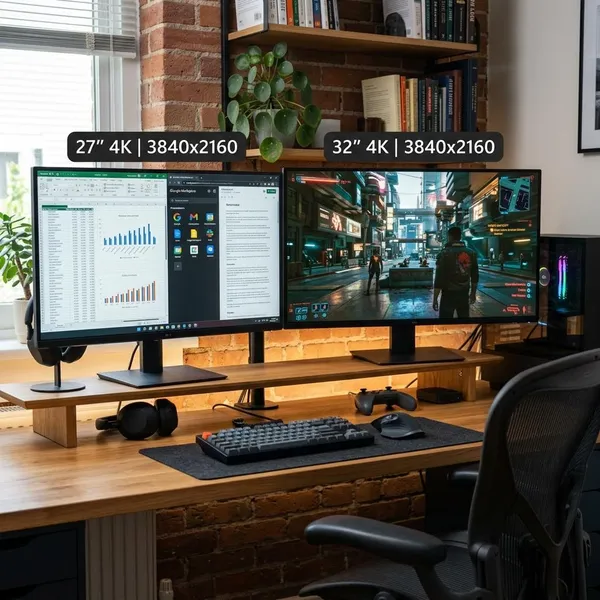
Both sizes can be excellent, but they solve different problems. A 27-inch 4K monitor gives you very crisp text in a compact footprint, while a 32-inch 4K monitor feels more spacious and immersive.
If your desk is shallow or you sit close, 27 inches is usually easier to scan. If you have a deeper desk and like two large windows open side by side, 32 inches is often more comfortable.
Text and image sharpness
A 27-inch 4K display looks extremely crisp because the pixels are packed tightly into a smaller area. That is helpful for reading, coding, writing, and detail-focused photo work, especially if you like a neat desktop with sharp edges and fine text.
A 32-inch 4K screen is still sharp, just less dense. The advantage is comfort: menus, timelines, and browser windows can feel less cramped, and many people find the larger image easier to live with for long sessions.
Workspace and multitasking
For multitasking, 32 inches has the practical edge. Two browser windows, a spreadsheet next to a document, or a video call beside notes all feel more natural when the physical screen is larger.
- Choose 27 inches if you want compact sharpness and keep most apps maximized one at a time.
- Choose 32 inches if you regularly compare documents, edit timelines, or keep several work windows visible.
- Check your desk depth before buying; a large monitor too close to your face can feel tiring.
Gaming and media viewing
For gaming and movies, 32 inches usually feels more impressive because the image fills more of your view. It is especially nice for open-world games, racing, story-driven titles, and console-style play from a slightly greater distance.
A 27-inch screen still makes sense for a compact gaming desk or competitive games where you want to see the whole screen quickly without moving your eyes too much. The mistake is buying 32 inches only because it sounds more premium, then placing it on a desk that is too shallow.
Is 4K better than 1440p?
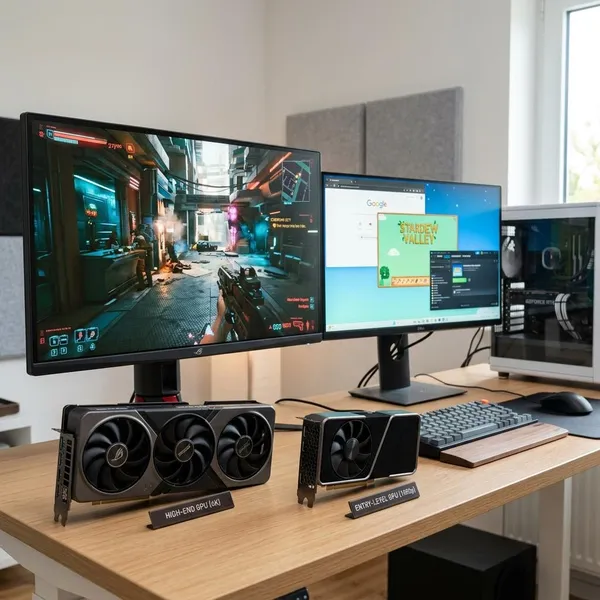
4K is better for sharpness, text clarity, and detail-heavy work. 1440p is often better value for gaming because it is easier to drive at high frame rates and usually puts less pressure on your graphics card.
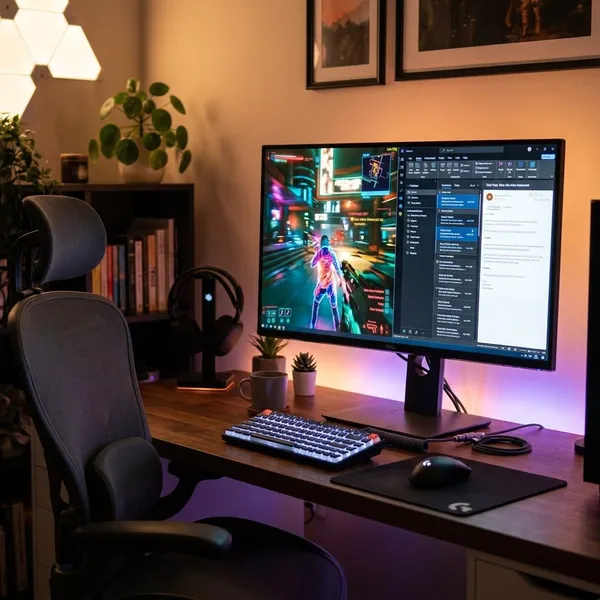
4K offers sharper text and images
4K gives desktop users a visible jump in fine detail. Text looks cleaner, photos show more texture, and small interface elements feel more refined because you sit close enough to notice the extra pixels.
This matters most if your monitor is a work tool. Someone who spends eight hours reading documents, writing, coding, or editing images will usually notice 4K more often than someone who only plays games for short sessions.
1440p is easier to run at high frame rates
1440p asks less from your graphics card, so it is easier to get smooth frame rates without turning settings down as aggressively. That is why many gamers still prefer a fast 1440p monitor over a 4K screen their PC cannot drive well.
- Competitive games: 1440p can be the smarter balance if high FPS matters most.
- Mid-range GPU: check real game performance before paying for a premium 4K gaming display.
- Console or high-end PC: 4K becomes more attractive when the hardware can keep up.
4K works well for productivity and creative work
For productivity and creative work, 4K is often worth it even without a high refresh rate. Spreadsheets show more detail, text is easier on the eyes, and editing tools feel more precise on a sharp panel.
1440p can offer better gaming value
1440p often gives gamers a better total setup for the money. The monitor can cost less, the GPU requirement is lighter, and smooth performance is easier to maintain in demanding games.
If your budget is limited, do not spend everything on resolution and leave the rest of the PC struggling. A strong 1440p setup can feel better than a 4K setup that forces constant compromises in settings, frame rate, or game choice.
Conclusion
Pick the monitor around your main use, not the most impressive spec sheet. A premium 32-inch OLED is the best direction for a do-everything gaming and media setup, while a 27-inch IPS model with USB-C is usually the calmer, smarter choice for office work, laptops, and creative tasks. If your PC cannot comfortably handle 4K games, it is better to buy a display that matches your hardware than to pay for resolution you will keep fighting against.
FAQS
Is a 27-inch monitor good for 4K?
Yes. A 27-inch 4K monitor is one of the sharpest desktop choices, especially for text, coding, documents, and photo work. You may want display scaling so menus and icons do not feel too small.
Do you need 144Hz for a 4K monitor?
No. For office work, browsing, streaming, and creative tasks, 60Hz can be fine. Aim for 120Hz or 144Hz only if you play games often and your hardware can push enough frames to benefit from it.
Is OLED better than IPS for a 4K monitor?
OLED is better for contrast, black levels, HDR impact, and fast motion. IPS is usually the easier choice for long office days, bright rooms, lower budgets, and users who do not want to think about OLED burn-in precautions.
Is a 4K monitor worth it for office work?
Yes, if you spend several hours a day at your desk. The biggest gain is sharper text, which makes documents, web pages, spreadsheets, and email feel cleaner and more comfortable over time.